Campaign Creation Tool
At Ask Media Group, I designed a centralized campaign creation tool that streamlined setup across platforms—reducing redundancy and increasing marketer efficiency, leading to a 20% boost in campaign output.
- Role
- UX Designer
- Team
- 1 UX Designer · 1 Product Manager · 2 Front-End Developers · 5 Back-End Developers
- Responsibilities
- Product Research · User Research · Wireframing · Prototyping
- Tools
- Figma · Zoom · Ant Design System
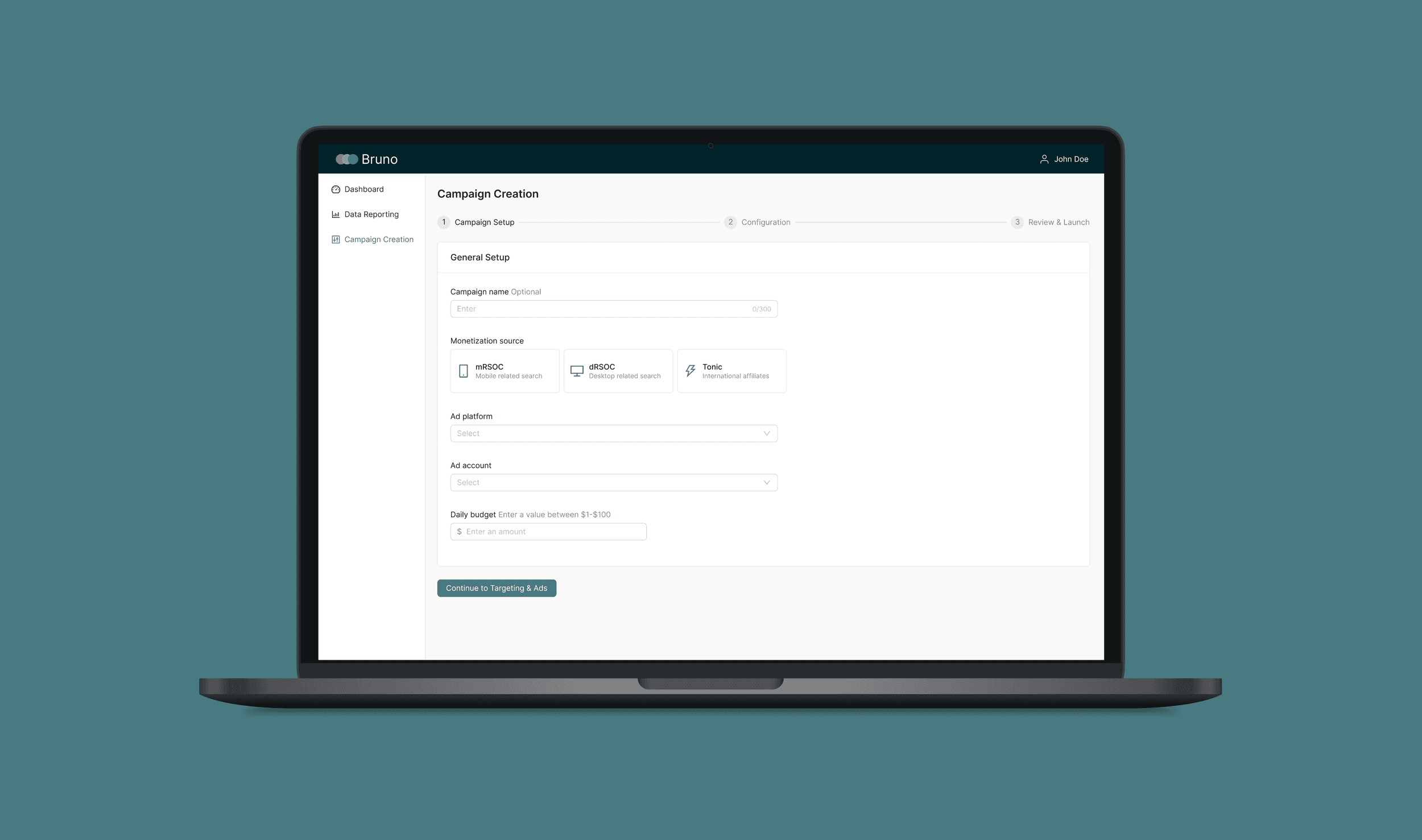
Overview
The Problem
Our existing campaign creation workflow required users to rely on 3+ external tools just to build a single campaign. This decentralization created inefficiencies, redundant work, and scalability challenges.
The Goal
Integrate campaign creation directly into our content marketing platform—streamlining workflows and making it significantly more efficient for our team.
01 — Understanding the User
We began by learning more about our users. The product manager and I conducted remote interviews with the marketing team to better understand their current workflows, goals, and frustrations.
User Pain Points
Decentralized Workflow
Switching between multiple platforms created significant friction and error-prone processes.
Redundant Data Entry
Marketers had to re-enter the same information, leading to wasted time and potential errors.
Limited Scalability
The current setup made it difficult to scale campaign creation efficiently as volume grew.
Primary Persona
Sam
Marketer
Context
Manages 100+ campaigns. The current repetitive setup process creates a massive bottleneck, slowing him down and limiting his availability for strategic analysis and optimization.
Core Need
A unified control tool that streamlines campaign creation across multiple sources—with efficient bulk operations while preserving granular control over individual campaign settings.
02 — Starting the Design
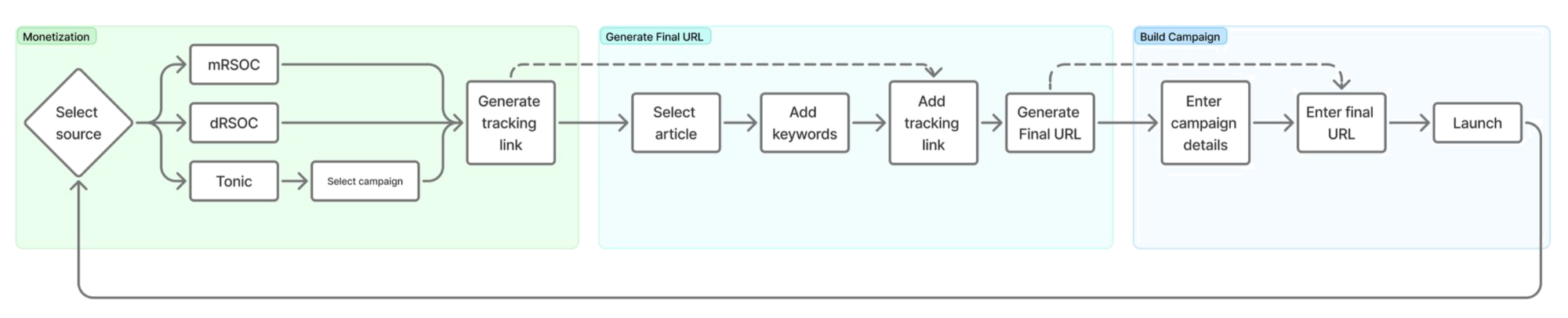
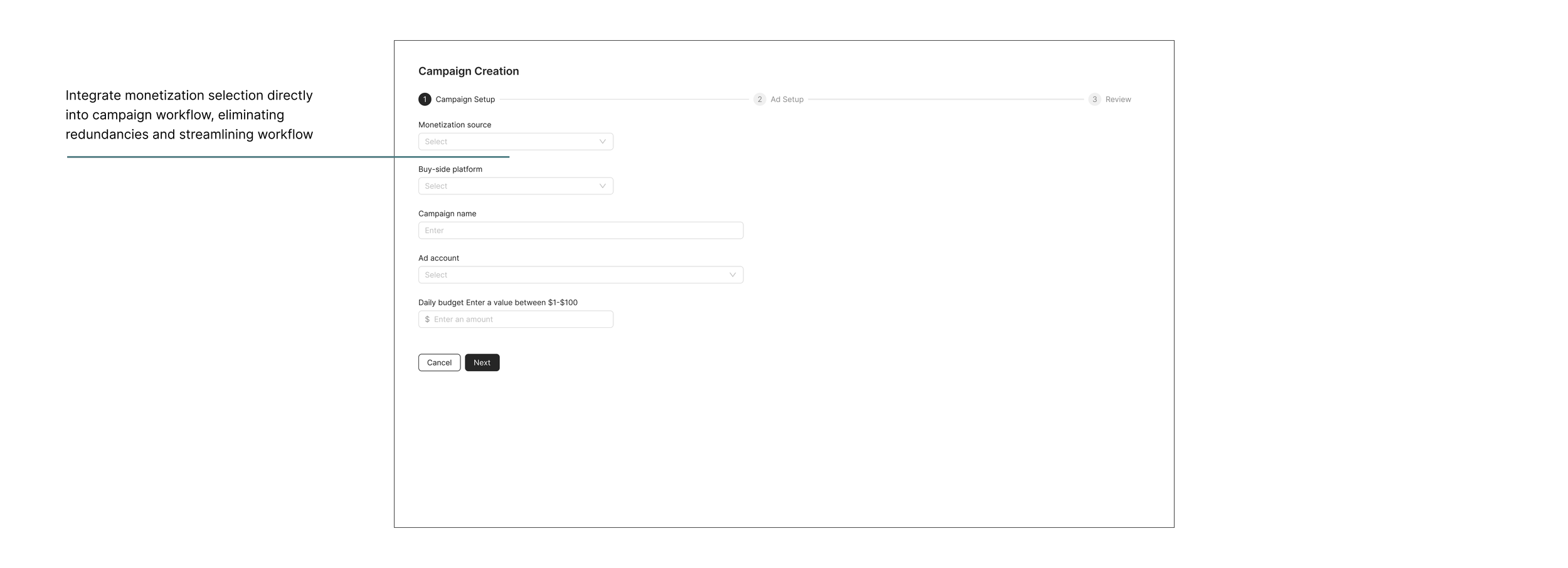
Research pointed to three non-negotiable design goals. Before touching the UI, I mapped dependencies across monetization flows (dRSOC, mRSOC, Tonic) and ad platforms to identify shared, platform-specific, and removable fields, which informed the user flow.
Design Goals
Centralized Creation
Merge three platforms into one efficient campaign creation process.
Reduce Redundancy
Eliminate redundancy by consolidating user inputs.
Flexible Duplication
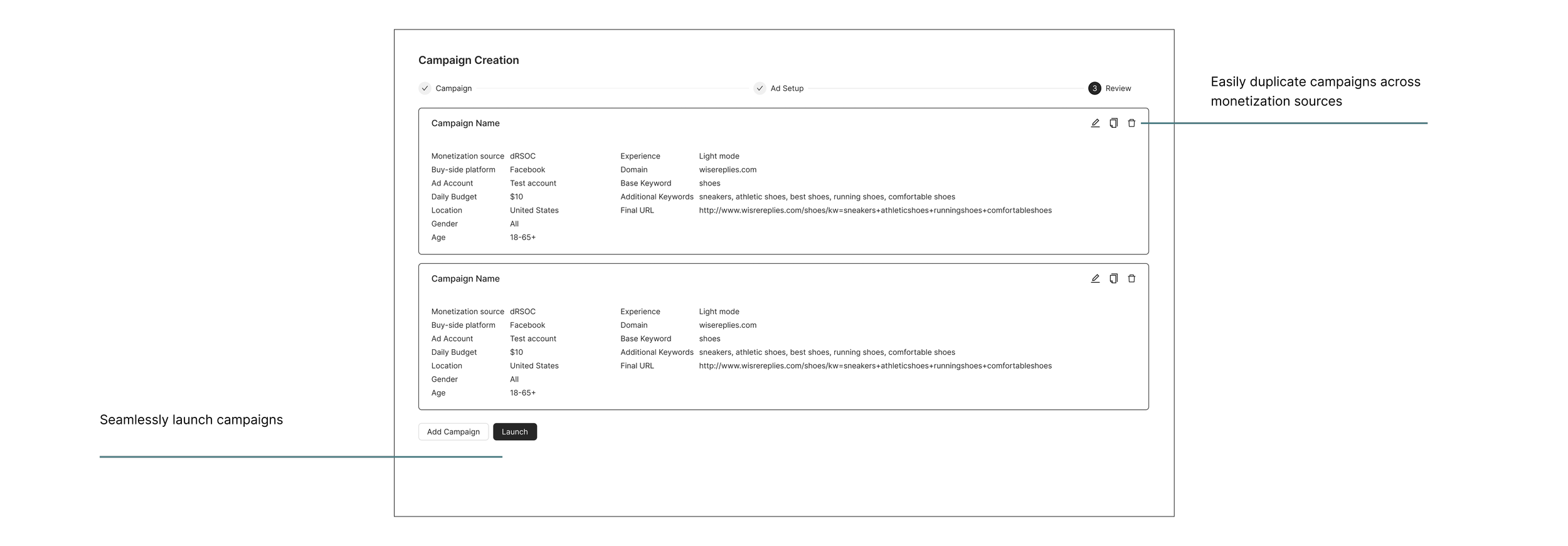
Enable seamless campaign duplication across monetization sources while still allowing for customization.
User Flow
Mapping the existing multi-tool workflow revealed where handoffs broke down—and where a three-step inline flow could consolidate monetization setup, campaign configuration, and launch.
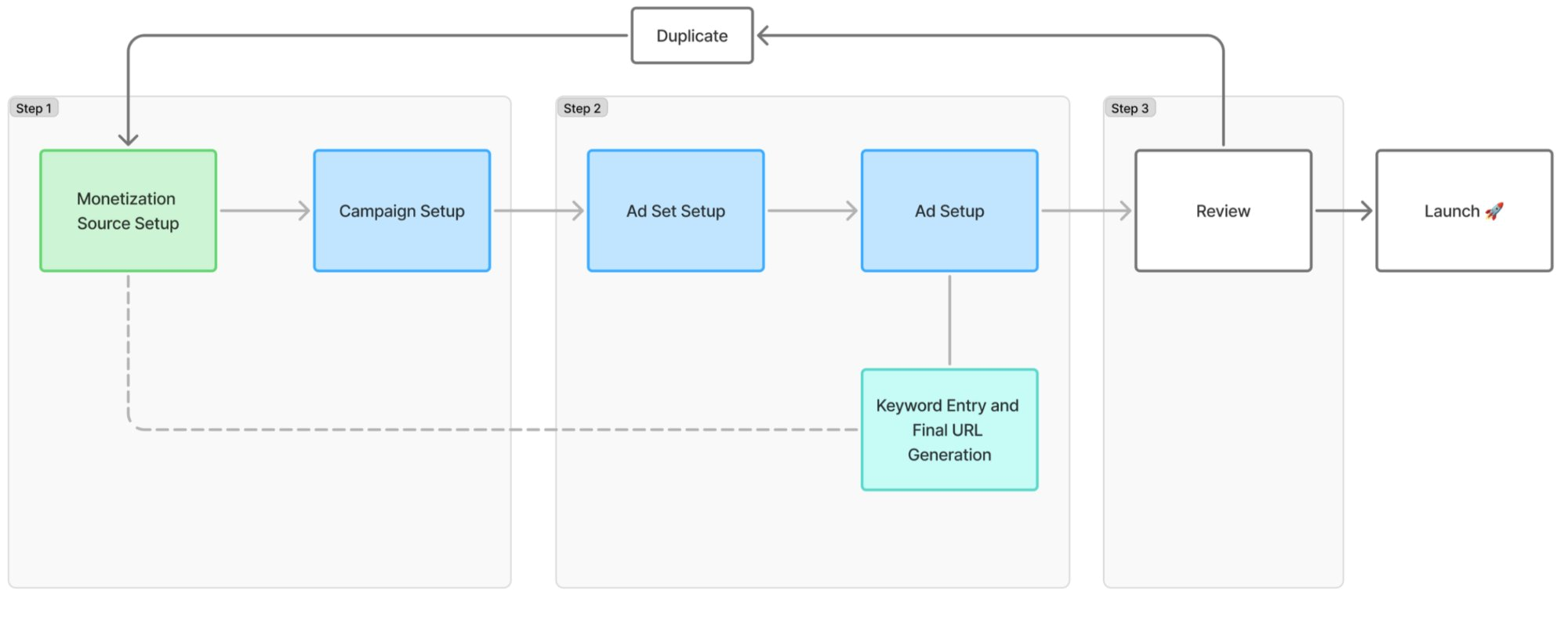
Exploring Early Concepts
I explored modal-based and multi-step patterns before landing on a three-step inline design—chosen for its clarity, progress visibility, and consistency with existing internal tools.

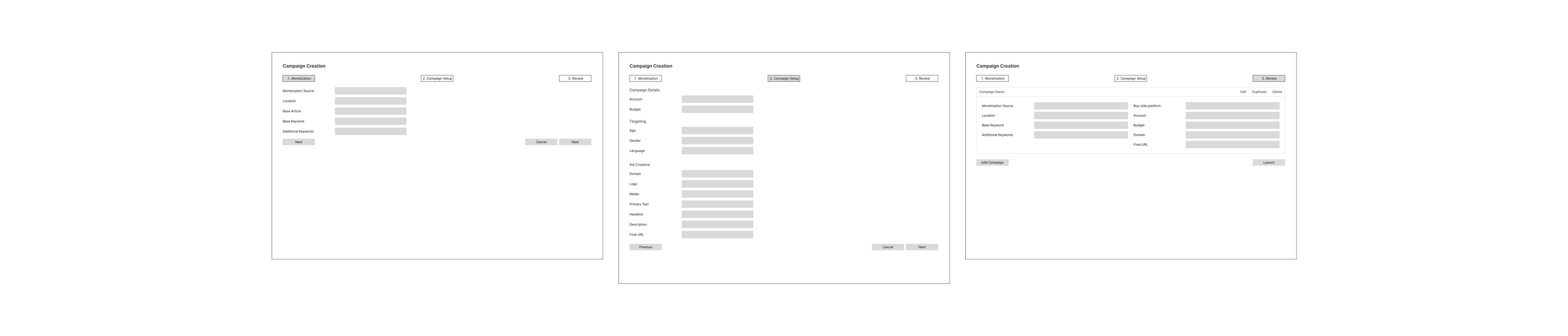
Wireframes
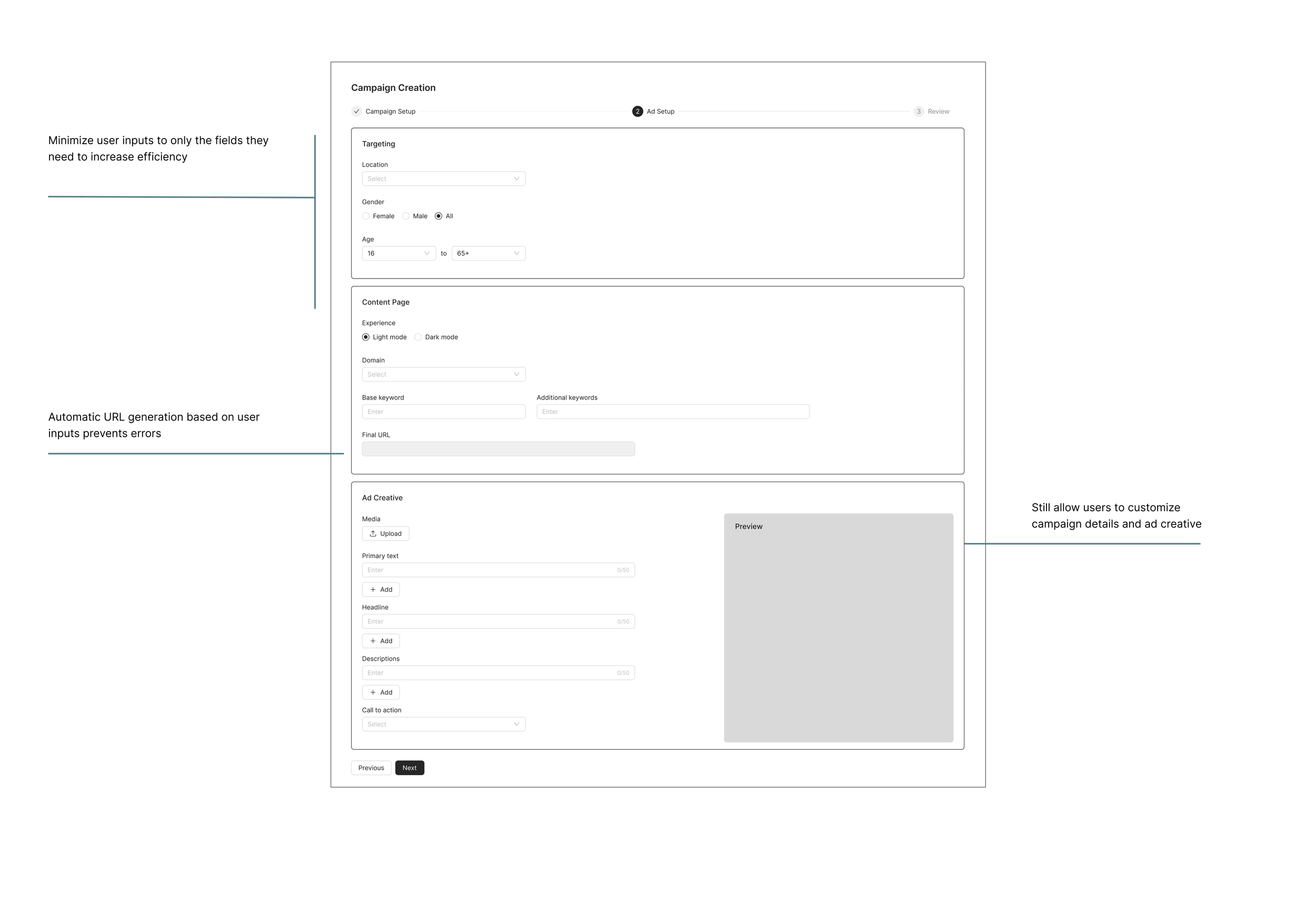
Higher-fidelity wireframes locked the three-step structure—Campaign Setup, Ad Setup, and Review—before visual design and engineering handoff.
03 — Testing & Iteration
I met with marketers to review initial designs and gather feedback. These findings helped inform our final designs:
Finding
Users wanted to duplicate ad sets, not just campaigns.
Change
Added ad set-level duplication so users could replicate sets without rebuilding the full campaign.
Finding
Several additional inputs could be eliminated to reduce UI complexity.
Change
Moved non-essential fields to backend defaults, keeping the interface focused on what matters.
Finding
Some fields are frequently adjusted throughout setup, causing backtracking.
Change
Enabled inline editing on key fields to avoid unnecessary navigation back through earlier steps.
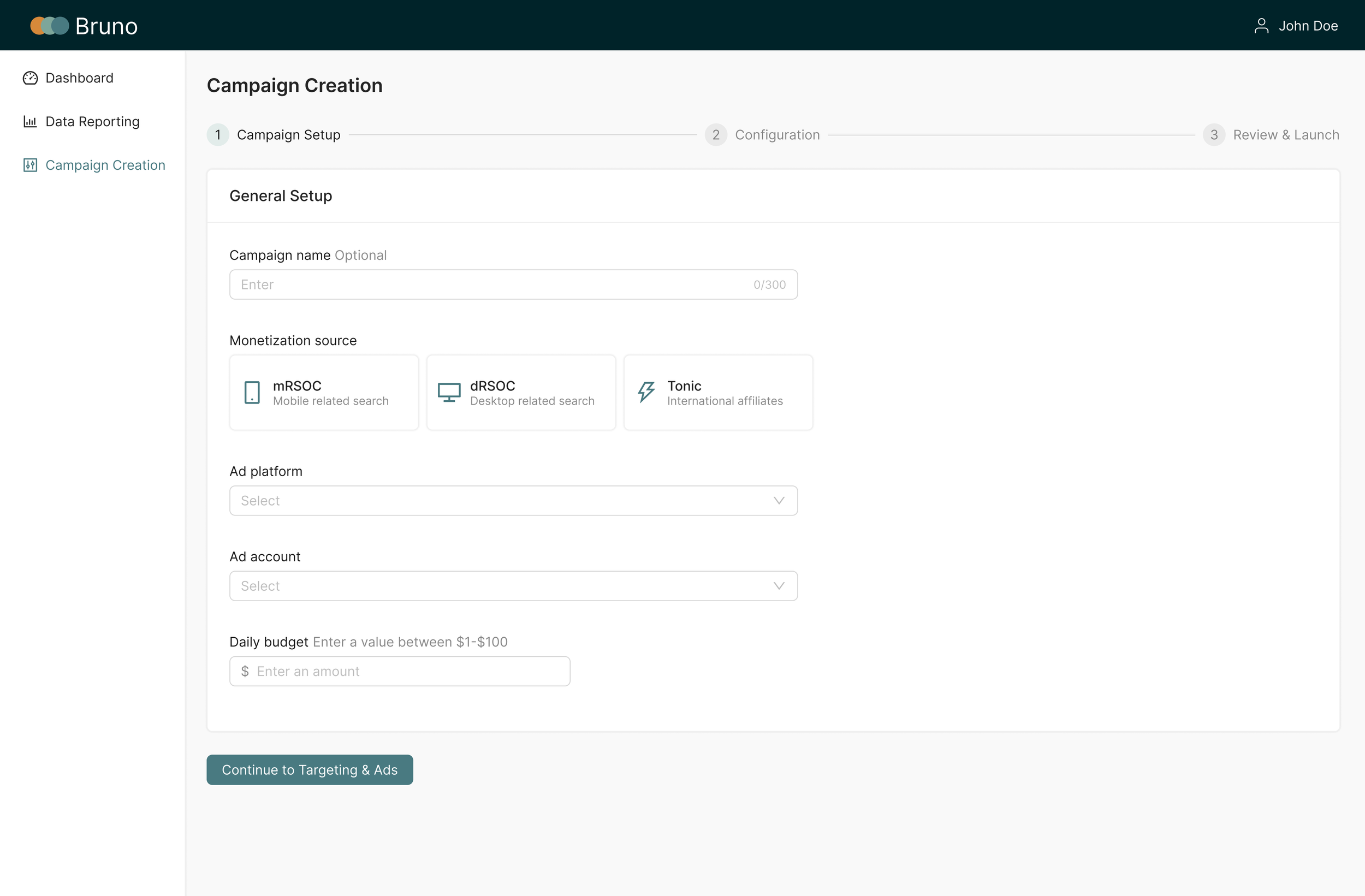
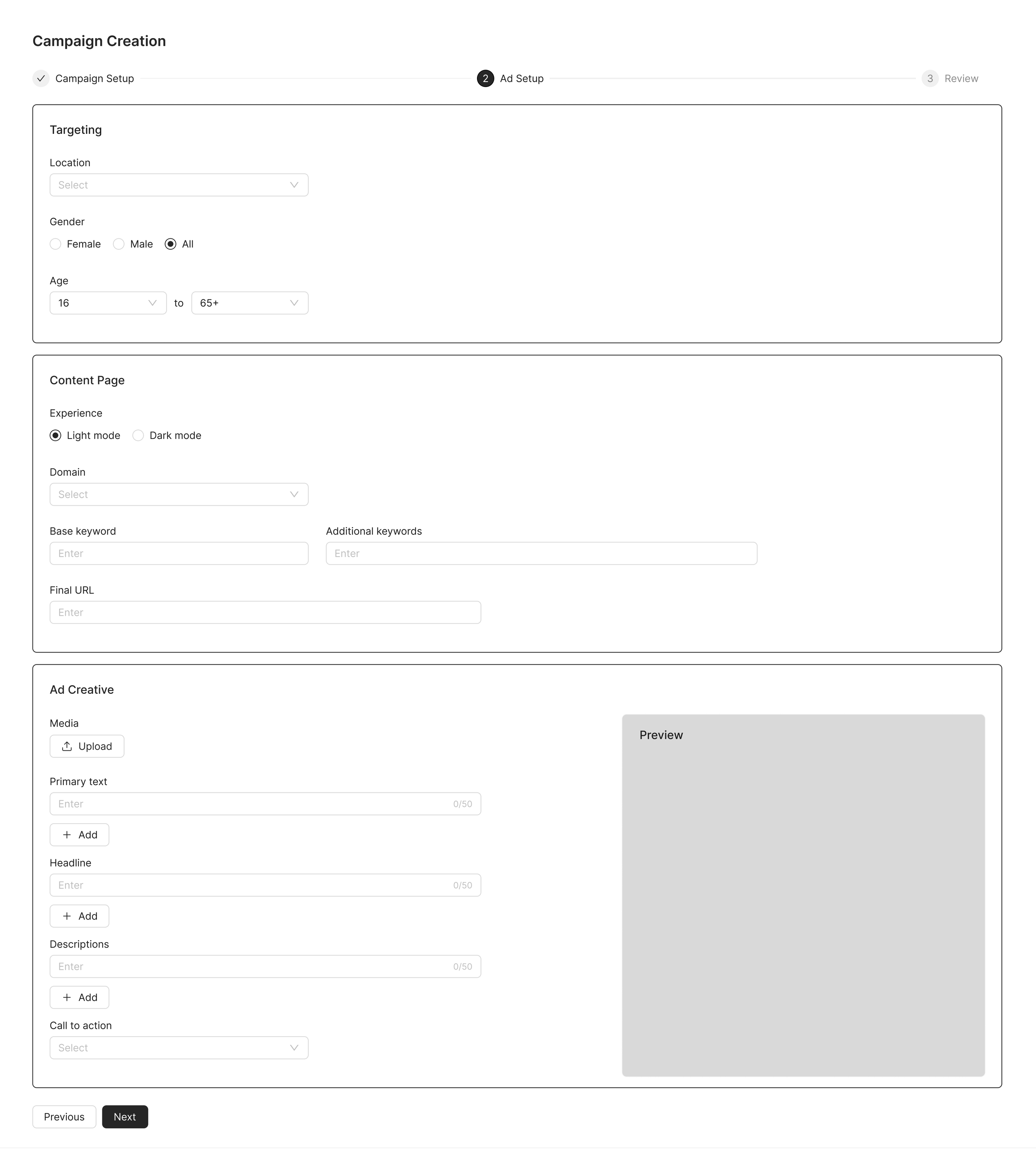
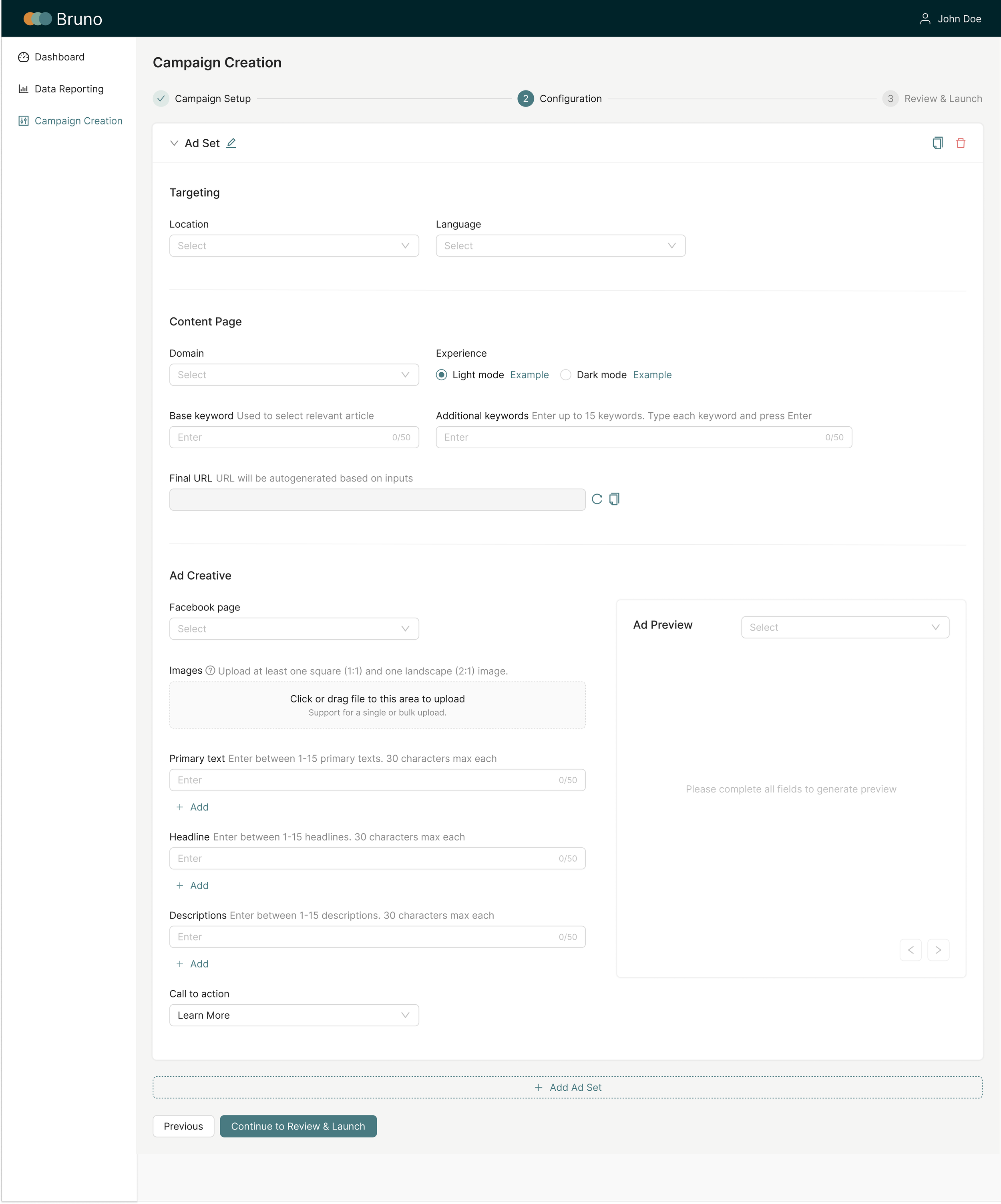
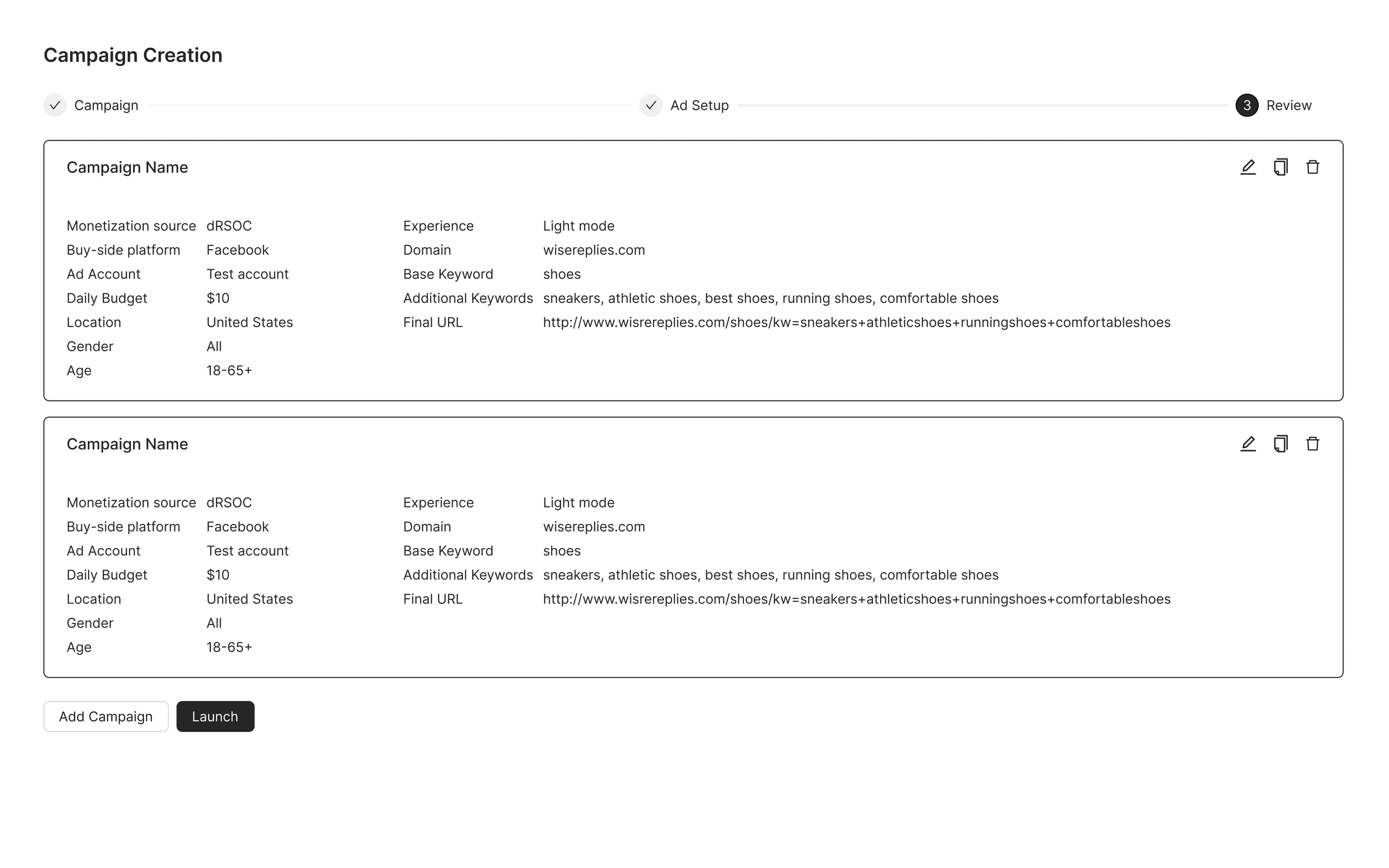
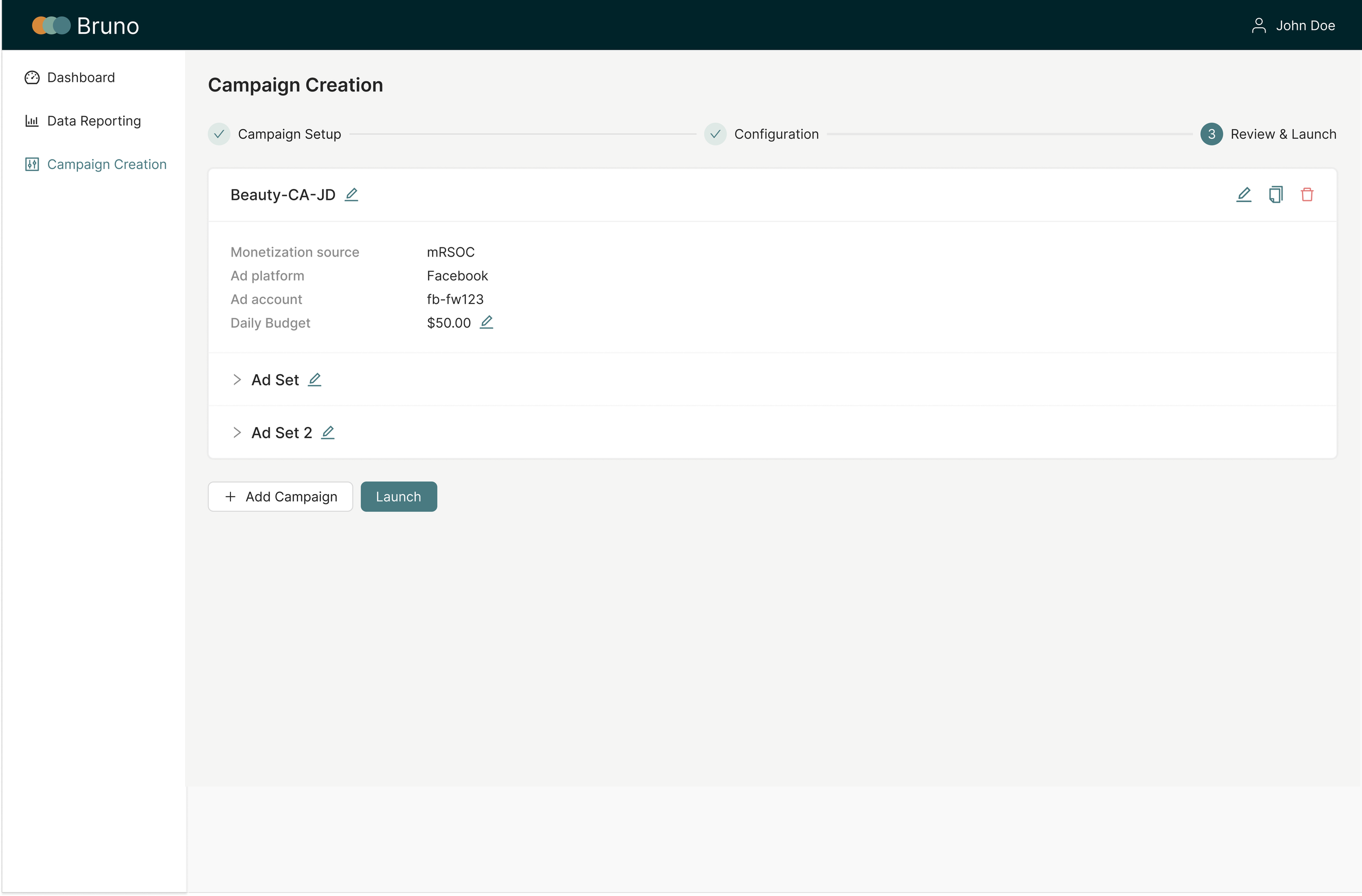
Prototype
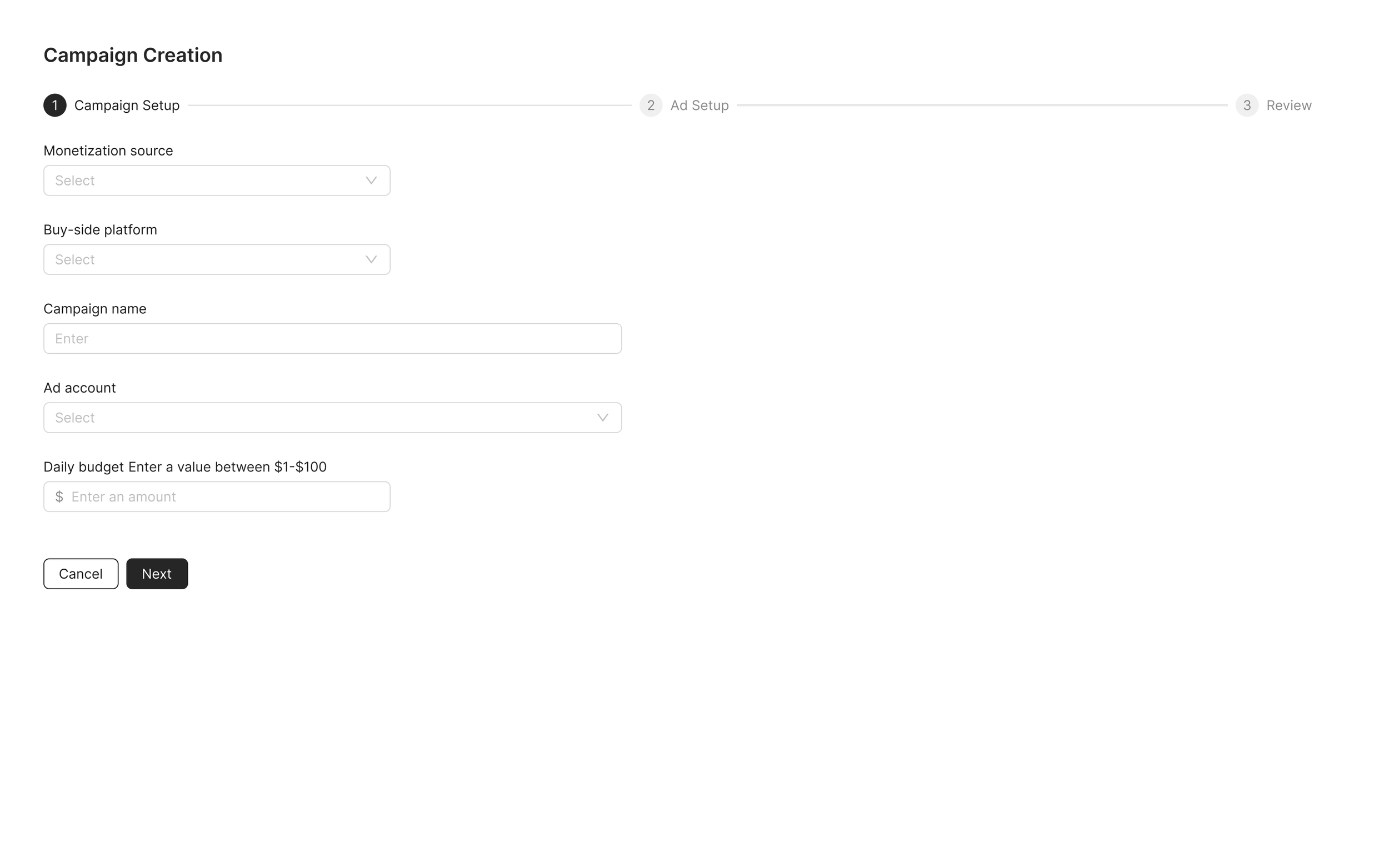
The final product lived inside Bruno as a three-step inline flow—centralizing monetization source, targeting, creative, and launch in one place.
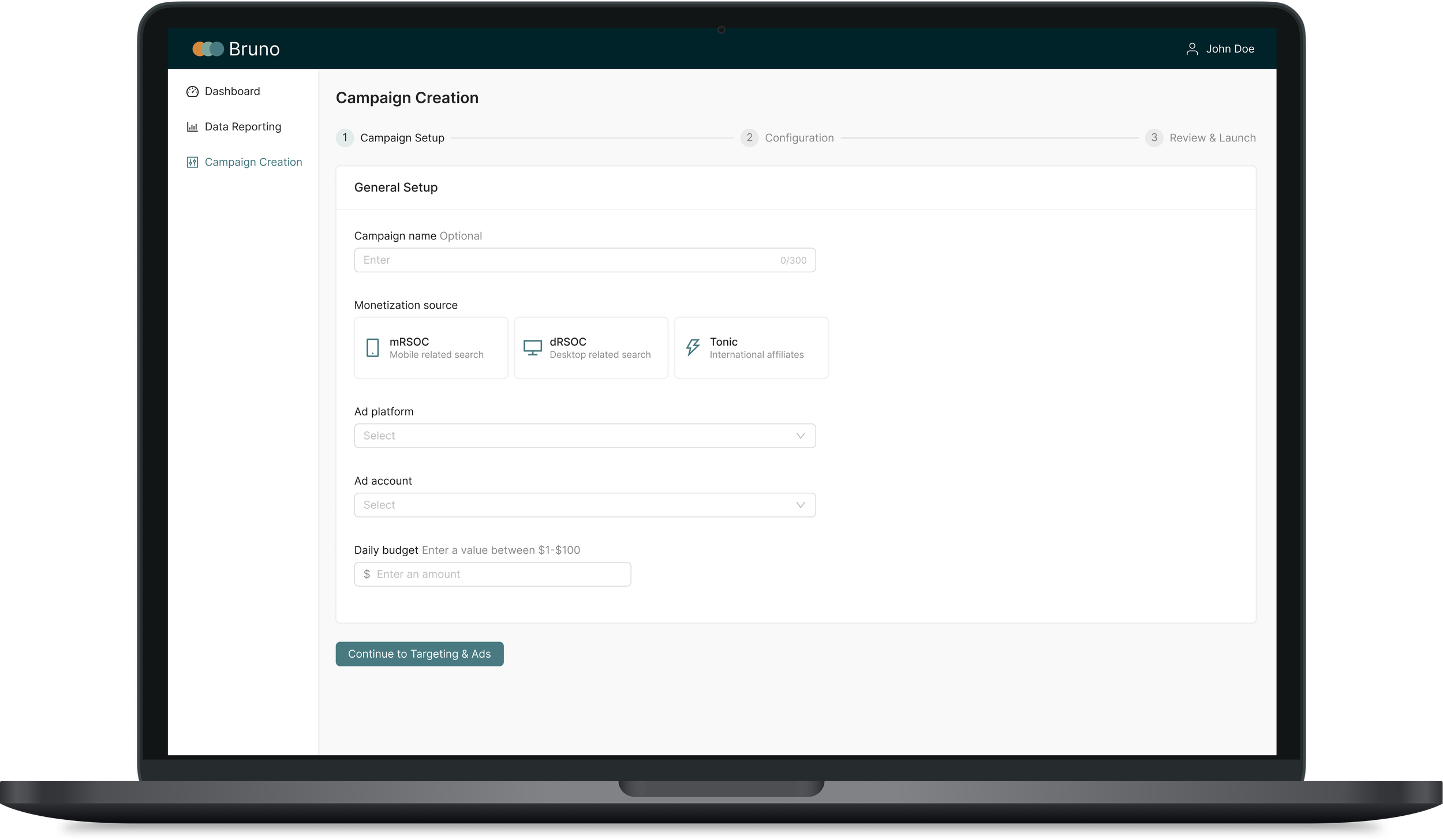
04 — Going Forward
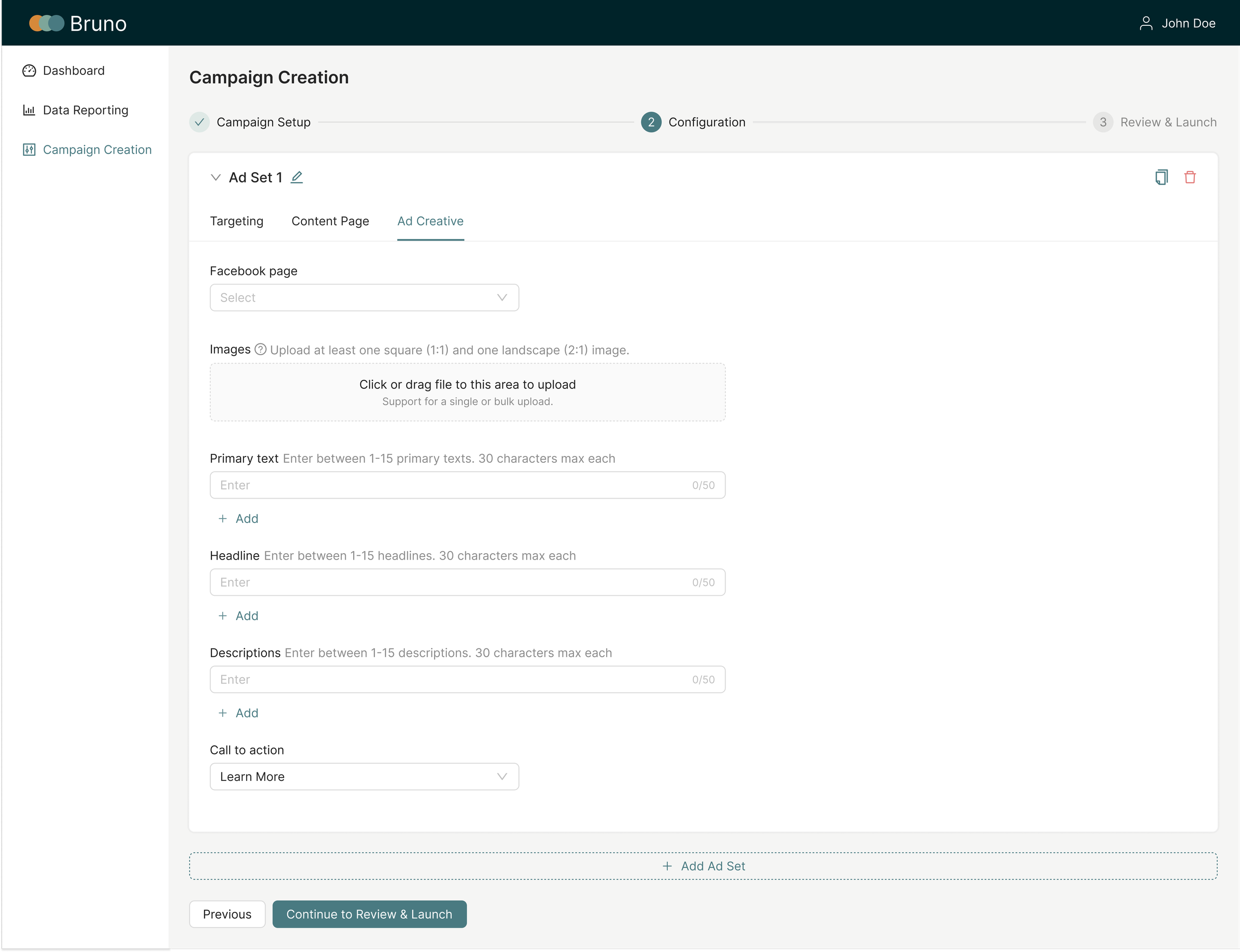
After launch, additional ad features began to impact Step 2’s usability. I designed a tabbed structure (Targeting, Content Page, Ad Creative) to simplify complexity and support future expansion. Though not in the MVP, it established a scalable framework for handling more configurations without overwhelming users going forward.
20%
Increase in campaign output
3 → 1
Platform consolidation
Learnings
This project reinforced the importance of balancing immediate user needs with long-term scalability. I gained firsthand experience in designing a framework adaptable to evolving business and team requirements.
Next Steps
Explore AI-driven suggestions for campaign creatives to further reduce manual effort and help marketers make better decisions faster.